Tampilkan postingan dengan label eny. Tampilkan semua postingan

Video & Photo Gallery: Unboxing Eny EA05 TV Box with RK3368 octa core CPU


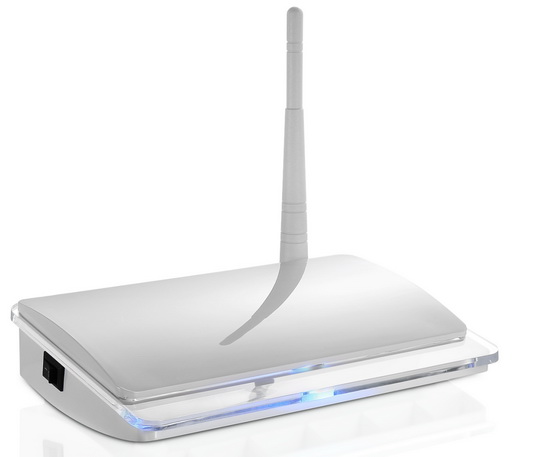
The Eny EA05 TV Box has an elegant design with a white matte plastic exterior with power button on left side and with and all the connectors located in the rear side, including the WiFi external antenna. In the front side it has only the IR receiver and the power LED light indicator. The overall impression is pretty nice, the device looks to be constructed with care to details.

System Configuration
CPU: RK3368 64bits Octa core Cortex A53
Operation System: Android 5.1
GPU: PowerVR SGX6110 GPU
RAM:  1GB
DDR3 (optional 2 GB)
ROM: 8GB eMMC Flash (optional 16 GB)
Bluetooth: BT 4.0
Antenna: Built-in antenna for WIFI


Media
UHD 4K×2K: Yes Support
Full HD 1080P: Yes Support
HEVC H.265/H.264: Yes Support
Video/Picture Decoding Supports:*.mkv,*.wmv,*.mpg, *.mpeg, *.dat, *.avi, *.mov, *.iso, *.mp4, *.rm and *.jpg file formats
Audio format Support: MP3, AAC, WMA, RM, FLAC, OGG


Communication
Ethernet: 100M/LAN
WIFI: IEEE 802.11a/b/g/n
Sensor/Motor: IR Sensor     

Indicator: Power LED with two colors

Button & Ports 
1 x Power Button
2 x Standard USB 2.0
1 x DC-in Jack
1 x HDMI 2.0 A Type (4K/2K 60FPS)
1 x RCA
1 x RJ45 Ethernet port
1 x Power Adapter: 5V 2A


OS details
Model number: EA05
Android version: Lollipop 5.1.1
Kernel version: 3.10.0
Build number: rk3368_box-userdebug 5.1.1 LMY47V eng.renj.20150820.105157 test-keys


Package content
1 x Eny EA05 TV Box
1 x HDMI Cable 

1 x IR Remote Control
1 x Power Cable
1 x English User Manual

Photo gallery full album here.

Product page: www.enybox.com
Contact: sales@enybox.com


About Eny Technology
Established in 2005 Eny Technology Co., Ltd. is a reliable manufacturer and exporter of Android tv box, Thin Client Terminal and Cloud Terminal. Our products are exported to EU, America, Asia etc. Our products have enjoyed a nice reputation in world market. In order to supply quality products and excellent service, the company has got approvable reports and certificates of CE, UL certificates and so on. From Jun 2008 years, the company start to open the factory for Thin Client Terminal field, We have rich experience both on manufacture and trading, At year of 2011, Our new product Android System Google tv box and Cloud Terminal  released .We have every confidence on our quality and services. Warmly welcome every customer to visit us, and hope we both sides could create a brilliant future with our effort. OEM and ODM orders are welcomed. Contact us today for more details! 


Don’t miss any of our future video tutorials, follow us on Youtube. Like us on Facebook. Add us in your circles on Google+. Watch our photo albums on Flickr. Subscribe now to our newsletter.
Download latest Android Lollipop 5.1.1 stock firmware for Eny EA05 TV Box


Download latest Android Lollipop 5.1.1 stock firmware for Eny EA05 TV Box from here or from here. 

  
Firmware details
Archive: Eny EA05 RK3368 TV Box fw
Image: update.img
Model: Eny EA05 TV Box
Image file size: 463 MB
Platform: Rockchip RK3368
FW version: 5.1.00
Boot version: 2.30
Model number: EA05
Build number:rk3368_box-userdebug 5.1.1 LMY47V eng.renj.20150820.105157 test-keys
SDK version: RK30_ANDROID5.1.1-SDK-v1.00.00


Caution: Please do not update firmware unless you know what you are doing, you really want it or it is absolutely necessary. Firmware updates may occasionally have bad results, like bricking your device, temporarily or permanently. The firmware update process is done entirely at your own risk. Before attempting to update the firmware, back up your data.


Don’t miss any of our future video tutorials, follow us on Youtube. Like us on Facebook. Add us in your circles on Google+. Watch our photo albums on Flickr. Subscribe now to our newsletter.

Download latest Android Lollipop 5.1.1 stock firmware for Eny EKb368 TV Box


Download latest Android Lollipop 5.1.1 stock firmware for Eny EKb368 TV Box from here or from here. 

  
Firmware details
Archive: Eny EKb368 Firmware
Image: update.img
Model: Eny EKb368 TV Box
Image file size: 510 MB
Platform: Rockchip RK3368
FW version: 5.1.00
Boot version: 2.30
Model number: rk3368-box
Build number: rk3368_box-userdebug 5.1.1 LMY47V eng.yangfeihu.20150822.114255 test-keys
SDK version: RK30_ANDROID5.1.1-SDK-v1.00.00


Caution: Please do not update firmware unless you know what you are doing, you really want it or it is absolutely necessary. Firmware updates may occasionally have bad results, like bricking your device, temporarily or permanently. The firmware update process is done entirely at your own risk. Before attempting to update the firmware, back up your data.


Don’t miss any of our future video tutorials, follow us on Youtube. Like us on Facebook. Add us in your circles on Google+. Watch our photo albums on Flickr. Subscribe now to our newsletter.

Eny EMP01, pocket size Android Mini Projector


Eny EMP01 is a portable DLP projector designed for family, entertainment, business, which allows you to enjoy the colorful life of large screen. Advanced DLP (Digital Light Processing) technology allows you to experience crystal clear, razor-sharp and lifelike images with the same DLP technology used in Hollywood. This projector is integrated with high performance projection engine function, and it has a simple design. Good users interface, resulting in the improvement of reliability and usability. The technology of DLP driver can bring you more colorful and brighter image as well as smooth video entertainment at any time any place. 

Specifications
Project technology: USA TX DLP
Lighting brightness: 100LM
Contrast ratio: 2000:1
Standard resolution: WXGA 854*480
Throw ratio: 1.19:1 (76inch@2M)
Projector size: 30-120inch
Aspect ratio: 4:3/16:9/16:10
Bluetooth: BT4.0
Remote control: IR and 2.4Ghz wireless
WiFi: 2.4G/5G

Parameters
CPU: imported RK3128
Main Core: quad-core ARM Cortex-A7 CPU with up to 1.2Ghz
Inner cache: 1G DDR3
Memory: 8GB
Operation system: Android 4.4
Video support:1080 PH.263,H.264,H.265,VC-1,RV,VP6/VP8,Sorenson Spark,MVC,MPEG-1,MPEG-2,MPEG-4 timely decode
Picture support: MP3,WMA,MP2,OGG,AAC,M4A,MA4,FLAC,APE,3GP,WAV
Flash: support flash 11.1
Extend storage: support TF card and hard disk
Audio Support: MP3,WMA,MP2,OGG,AAC,M4A,MA4,FLAC,APE,3GP,WAV

Connection ports
Power: 5V-2.5A DC
Input support: USB,IR
USB: 2xUSB, support USB hard disk data read
Extend memory: support TF card
Input video: HDMI 1080P
Audio output: 3.5mm for earphone, loud speaker
Power: AC100-240V, 50/60Hz
Power: 5W

Product size: 145x80x17.5mm
Product weight: 250g

More details on product page www.enybox.com


If any requirement, kindly contact: sales@enybox.com


Established in 2005 Eny Technology Co., Ltd. is a reliable manufacturer and exporter of Android tv box, Thin Client Terminal and Cloud Terminal. Our products are exported to EU, America, Asia etc.  Our products have enjoyed a nice reputation in world market. In order to supply quality products and excellent service, the company has got approvable reports and certificates of CE,UL certificates and so on. From Jun 2008 years, the company start to open the factory for Thin Client Terminal field, We have rich experience both on manufacture and trading, At year of 2011, Our new product Android System Google tv box and Cloud Terminal  released. We have every confidence on our quality and services.

Don’t miss any of our future video tutorials, follow us on Youtube. Like us on Facebook. Add us in your circles on Google+. Watch our photo albums on Flickr. Subscribe now to our newsletter. 

Download Android KitKat 4.4.2 stock firmware for Eny M-10 TV Box


Download Android KitKat 4.4.2 stock firmware for Eny M-10 TV Box from here or from here


Firmware details
Archive:M10_1114ē‰ˆęœ¬ē”Ÿäŗ§č½Æä»¶_0330
Image: M10-ota-20150330.zip
Model: Eny M-10 TV Bo
Image file size: 623 MB
Platform: Amlogic S812
Build number: M10-user 4.4.2 KOT49H 20150330 test-keys


Caution: Please do not update firmware unless you know what you are doing, you really want it or it is absolutely necessary. Firmware updates may occasionally have bad results, like bricking your device, temporarily or permanently. The firmware update process is done entirely at your own risk. Before attempting to update the firmware, back up your data.


Don’t miss any of our future video tutorials, follow us on Youtube. Like us on Facebook. Add us in your circles on Google+. Watch our photo albums on Flickr. Subscribe now to our newsletter.