Tampilkan postingan dengan label Galaxy Grand 2. Tampilkan semua postingan

How to Update Galaxy Grand 2 DUOS SM-G7102 with Android 4.3 XXUANE2 Jelly Bean Official Firmware
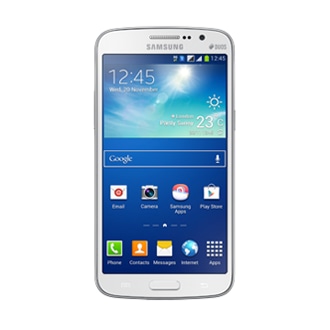
Samsung has released another Android 4.3 Jelly Bean update for the Galaxy Grand 2 DUOS (SM-G7102). The new official firmware is now available as an Over-The-Air (OTA) update as well as through Samsung KIES.

Firmware details
PDA: G7102XXUANE2
CSC: G7102ODDANE1
MODEM: G7102DDUANE2
Version: Android 4.3
Build date: May 13, 2014
Regions: India, Bangladesh, Nepal, Sri Lanka

Samsung Galaxy Grand 2 DUOS SM-G7102 users who missed the OTA update notification or unable to access the update over Samsung KIES, may follow our step-by-step guide to install the update manually.

Pre-requisites
1. Install USB Drivers for Samsung Galaxy Grand 2 on the computer.
2. Enable USB Debugging Mode on the phone by navigating to Settings >> Developer Options.
3. Make a backup of all your important data before following the guide.
4. Ensure the battery of the phone is charged more than 80 percent.
5. The Android 4.3 XXUANE2 Jelly Bean firmware is compatible only with the Galaxy Grand 2 DUOS (SM-G7102). Applying this to any incorrect variant might brick the device. Verify the model number of the Galaxy Grand 2 by navigating to Settings >> About Phone.

Files Required
1. Android 4.3 XXUANE2 Jelly Bean Firmware (Mirror Link)
2. Odin 3.07

Steps to Update Galaxy Grand 2 DUOS SM-G7102 with Android 4.3 XXUANE2 Jelly Bean Firmware
Step 1: Extract Firmware zip file using WinRAR/7-Zip/WinZip or any other extracting tool, you will get a .tar.md5 file and some other files (optional).
Step 2: Extract Odin zip file and you will get Odin3 v3.07.exe along with few other files.
Step 3: Switch off the Galaxy Grand 2.
Step 4: Boot the device into Download Mode by pressing and holding Volume Down, Home and Power buttons together until a construction Android robot icon with a warning triangle appears on screen. Now press the Volume Up button to enter Download Mode.
Step 5: Run Odin on the computer as an Administrator.
Step 6: Connect the Galaxy Grand 2 to the computer using USB cable while it is in the Download Mode. Wait until Odin detects the device. When the device is connected successfully, the ID: COM box will turn to light blue with the COM port number. Additionally, the successful connected will be indicated by a message saying Added.

Step 7: Select the following files in Odin from extracted G7102XXUANE2 firmware folder:
  • Click the PDA button and select the .tar.md5 file.
  • Click the Phone button and select file with MODEM in its name. Ignore if there is no such file.
  • Click the CSC button and select file with CSC in its name. Ignore if there is no such file.
  • Click the PIT button and select the .pit file. Ignore if there is no such file.
Step 8: In Odin, enable Auto Reboot and F. Reset Time checkboxes. Also, ensure the Re-Partition checkbox is chosen only if a .pit file was chosen in the previous step.
Step 9: Verify everything suggested in Step 7 and Step 8 is done correctly. Then hit the Start button to begin the installation process.
Step 10: Once the installation process completes, your phone will restart and soon you will see a PASS message with green background in the left-most box at the very top of the Odin. You can now unplug the USB cable to disconnect your device from the computer.

Samsung Galaxy Grand 2 DUOS SM-G7102 should be now updated with Android 4.3 XXUANE2 Jelly Bean official firmware. Head over to Settings >> About Phone to verify the software version running on the device.

Note: If Galaxy Grand 2 DUOS SM-G7102 stuck at booting animation after Step 10 then go to recovery mode (press and hold the Volume Up, Home and Power buttons together) and perform Wipe data/Factory Reset and Wipe Cache Partition task before selecting reboot system now function. In recovery mode use Volume keys to navigate between options and Power key to select the option. Please note, performing wiping task will erase your device internal memory data and not external SD card data.

Read also:

How to Update Galaxy Grand 2 DUOS SM-G7102 with Android 4.3 XXUAND1 Jelly Bean Official Firmware

Samsung Galaxy Grand 2 with dual SIM card slots (SM-G7102) has just received a new Android 4.3 Jelly Bean update with firmware build number G7102XXUAND1. The new official firmware is now available as an Over-The-Air (OTA) update as well as through Samsung KIES.

Firmware details
PDA: G7102XXUAND1
CSC: G7102ODDAND1
MODEM: G7102DDUAML3
Version: Android 4.3
Build date: Apr 08, 2014
Regions: India, Bangladesh, Nepal, Sri Lanka

Samsung Galaxy Grand 2 DUOS SM-G7102 users who missed the OTA update notification or unable to access the update over Samsung KIES, may follow our step-by-step guide to install the update manually.

Pre-requisites
1. Install USB Drivers for Samsung Galaxy Grand 2 on the computer.
2. Enable USB Debugging Mode on the phone by navigating to Settings >> Developer Options.
3. Make a backup of all your important data before following the guide.
4. Ensure the battery of the phone is charged more than 80 percent.
5. The Android 4.3 XXUAND1 Jelly Bean firmware is compatible only with the Galaxy Grand 2 DUOS (SM-G7102). Applying this to any incorrect variant might brick the device. Verify the model number of the Galaxy Grand 2 by navigating to Settings >> About Phone.

Files Required
1. Android 4.3 XXUAND1 Jelly Bean Firmware (Mirror Link)
2. Odin 3.07

Steps to Update Galaxy Grand 2 DUOS SM-G7102 with Android 4.3 XXUAND1 Jelly Bean Firmware
Step 1: Extract Firmware zip file using WinRAR/7-Zip/WinZip or any other extracting tool, you will get a .tar.md5 file and some other files (optional).
Step 2: Extract Odin zip file and you will get Odin3 v3.07.exe along with few other files.
Step 3: Switch off the Galaxy Grand 2.
Step 4: Boot the device into Download Mode by pressing and holding Volume Down, Home and Power buttons together until a construction Android robot icon with a warning triangle appears on screen. Now press the Volume Up button to enter Download Mode.
Step 5: Run Odin on the computer as an Administrator.
Step 6: Connect the Galaxy Grand 2 to the computer using USB cable while it is in the Download Mode. Wait until Odin detects the device. When the device is connected successfully, the ID: COM box will turn to light blue with the COM port number. Additionally, the successful connected will be indicated by a message saying Added.

Step 7: Select the following files in Odin from extracted G7102XXUAND1 firmware folder:
  • Click the PDA button and select the .tar.md5 file.
  • Click the Phone button and select file with MODEM in its name. Ignore if there is no such file.
  • Click the CSC button and select file with CSC in its name. Ignore if there is no such file.
  • Click the PIT button and select the .pit file. Ignore if there is no such file.
Step 8: In Odin, enable Auto Reboot and F. Reset Time checkboxes. Also, ensure the Re-Partition checkbox is chosen only if a .pit file was chosen in the previous step.
Step 9: Verify everything suggested in Step 7 and Step 8 is done correctly. Then hit the Start button to begin the installation process.
Step 10: Once the installation process completes, your phone will restart and soon you will see a PASS message with green background in the left-most box at the very top of the Odin. You can now unplug the USB cable to disconnect your device from the computer.

Samsung Galaxy Grand 2 DUOS SM-G7102 should be now updated with Android 4.3 XXUAND1 Jelly Bean official firmware. Head over to Settings >> About Phone to verify the software version running on the device.

Note: If Galaxy Grand 2 DUOS SM-G7102 stuck at booting animation after Step 10 then go to recovery mode (press and hold the Volume Up, Home and Power buttons together) and perform Wipe data/Factory Reset and Wipe Cache Partition task before selecting reboot system now function. In recovery mode use Volume keys to navigate between options and Power key to select the option. Please note, performing wiping task will erase your device internal memory data and not external SD card data.

Read also:

How to Root Galaxy Grand 2 DUOS SM-G7102 on Android 4.3 Jelly Bean Firmware

Samsung Galaxy Grand 2 DUOS SM-G7102 users who wish to root their devices, may follow the tutorial below.

This tutorial uses CF-Auto-Root file released by Senior Recognized XDA-Developers, Chainfire. Head over to the CF-Auto-Root main thread to learn more about the root method.

Disclaimer: Rooting voids the warranty of your device. We and the developer of this rooting procedures shall not be held responsible if any undesirable outcomes may happen to your device. use of this root guide is solely at your own risk!

Pre-requisites
1. Install USB Drivers for Samsung Galaxy Grand 2 on the computer.
2. Enable USB Debugging Mode on the phone by navigating to Settings >> Developer Options.
3. Make a backup of all your important data before following the guide.
4. Ensure the battery of the phone is charged more than 80 percent.
5. The CF-Auto-Root file works only on the Galaxy Grand 2 DUOS (SM-G7102). Applying this to any incorrect variant might brick the device. Verify the model number of the Galaxy Grand 2 by navigating to Settings >> About Phone.

Files Required
1. CF-Auto-Root (CF-Auto-Root-ms013g-ms013gxx-smg7102.zip)
2. Odin 3.09

Steps to Root Galaxy Grand 2 DUOS SM-G7102 Running on Android 4.3 Jelly Bean Firmware
Step 1: Extract CF-Auto-Root and Odin 3.09 files using WinRAR/7-Zip/WinZip or any other extracting tool.
Step 2: Switch off the Galaxy Grand 2. Then boot into Download Mode by pressing and holding Volume Down, Home and Power buttons together until a construction Android robot icon with a warning triangle appears on screen. Now press the Volume Up button to enter Download Mode.
Step 3: Launch Odin on the computer as an Administrator.
Step 4: Connect the Galaxy Grand 2 to the computer using USB cable while it is in the Download Mode. Wait until Odin detects the device. When the device is connected successfully, the ID: COM box will turn to light blue with the COM port number. Additionally, the successful connected will be indicated by a message saying Added.
Step 5: In Odin, click the AP button and select the CF-Auto-Root-ms013g-ms013gxx-smg7102.tar.md5 file.
Step 6: Verify that Auto Reboot and F. Reset Time checkboxes are selected in Odin. Also, ensure the Re-Partition option is NOT selected.
Step 7: Double-check and click Start in Odin. The installation process will now begin.
Step 8: Once the installation process completes, your phone will restart and soon you will see a PASS message with green background in the left-most box at the very top of the Odin. You can now unplug the USB cable to disconnect it from the computer.

Samsung Galaxy Grand 2 DUOS SM-G7102 running on Android 4.3 Jelly Bean is now rooted successfully. You can now install any app that requires root permission. Verify the root status of the device by downloading Root Checker app from Google Play Store.

Note: Many Samsung devices store a flash counter that keeps track of how many times you have flashed custom firmwares to your device. Triangle Away can be used to reset the flash counter to zero.

How to Fix "Unfortunately, SuperSU has stopped"?
Step 1: Download and install the latest APK of SuperSU on your device.
Step 2: Open SuperSU app (update the binary if prompted) and allow it to disable KNOX.
Step 3: Reboot your device.

Read also:

How to Update Galaxy Grand 2 DUOS SM-G7102 with Android 4.3 XXUANC3 Jelly Bean Official Firmware

Samsung has just released the latest Android 4.3 Jelly Bean update for the Galaxy Grand 2 with dual SIM card slots, also known as Galaxy Grand 2 DUOS (SM-G7102). The new official firmware is now available as an Over-The-Air (OTA) update as well as through Samsung KIES.

Firmware details
PDA: G7102XXUANC3
CSC: G7102ODDANC3
MODEM: G7102DDUAML3
Version: Android 4.3
Build date: Mar 20, 2014
Regions: India, Bangladesh, Nepal, Sri Lanka

Samsung Galaxy Grand 2 DUOS SM-G7102 users who missed the OTA update notification or unable to access the update over Samsung KIES, may follow our step-by-step guide to install the update manually.

Pre-requisites
1. Install USB Drivers for Samsung Galaxy Grand 2 on the computer.
2. Enable USB Debugging Mode on the phone by navigating to Settings >> Developer Options.
3. Make a backup of all your important data before following the guide.
4. Ensure the battery of the phone is charged more than 80 percent.
5. The Android 4.3 XXUANC3 Jelly Bean firmware is compatible only with the Galaxy Grand 2 DUOS (SM-G7102). Applying this to any incorrect variant might brick the device. Verify the model number of the Galaxy Grand 2 by navigating to Settings >> About Phone.

Files Required
1. Android 4.3 XXUANC3 Jelly Bean Firmware (Mirror Link)
2. Odin 3.07

Steps to Update Galaxy Grand 2 DUOS SM-G7102 with Android 4.3 XXUANC3 Jelly Bean Firmware
Step 1: Extract Firmware zip file using WinRAR/7-Zip/WinZip or any other extracting tool, you will get a .tar.md5 file and some other files (optional).
Step 2: Extract Odin zip file and you will get Odin3 v3.07.exe along with few other files.
Step 3: Switch off the Galaxy Grand 2.
Step 4: Boot the device into Download Mode by pressing and holding Volume Down, Home and Power buttons together until a construction Android robot icon with a warning triangle appears on screen. Now press the Volume Up button to enter Download Mode.
Step 5: Run Odin on the computer as an Administrator.
Step 6: Connect the Galaxy Grand 2 to the computer using USB cable while it is in the Download Mode. Wait until Odin detects the device. When the device is connected successfully, the ID: COM box will turn to light blue with the COM port number. Additionally, the successful connected will be indicated by a message saying Added.

Step 7: Select the following files in Odin from extracted G7102XXUANC3 firmware folder:
  • Click the PDA button and select the .tar.md5 file.
  • Click the Phone button and select file with MODEM in its name. Ignore if there is no such file.
  • Click the CSC button and select file with CSC in its name. Ignore if there is no such file.
  • Click the PIT button and select the .pit file. Ignore if there is no such file.
Step 8: In Odin, enable Auto Reboot and F. Reset Time checkboxes. Also, ensure the Re-Partition checkbox is chosen only if a .pit file was chosen in the previous step.
Step 9: Verify everything suggested in Step 7 and Step 8 is done correctly. Then hit the Start button to begin the installation process.
Step 10: Once the installation process completes, your phone will restart and soon you will see a PASS message with green background in the left-most box at the very top of the Odin. You can now unplug the USB cable to disconnect your device from the computer.

Samsung Galaxy Grand 2 DUOS SM-G7102 should be now updated with Android 4.3 XXUANC3 Jelly Bean official firmware. Head over to Settings >> About Phone to verify the software version running on the device.

Note: If Galaxy Grand 2 DUOS SM-G7102 stuck at booting animation after Step 10 then go to recovery mode (press and hold the Volume Up, Home and Power buttons together) and perform Wipe data/Factory Reset and Wipe Cache Partition task before selecting reboot system now function. In recovery mode use Volume keys to navigate between options and Power key to select the option. Please note, performing wiping task will erase your device internal memory data and not external SD card data.

Read also:

How to Root Galaxy Grand 2 DUOS SM-G7102 with Android 4.3 ZTUANC1 Jelly Bean Pre-Rooted Firmware

Samsung Galaxy Grand 2 DUOS (SM-G7102) users who wish to root their devices, may follow our step-by-step guide below.

This tutorial uses Pre-Rooted Stock Firmware released by Senior Member of XDA-Developers, balliboxer.

Firmware details
PDA: G7102ZTUANC1
Version: Android 4.3
Build date: Mar 18, 2014

Features
- Deodexed
- Zipaligned
- Popup incoming call notification
- Statusbar with Home and Lock buttons
- Dual sim icons removed from notification panel
- Chrome style popup browser
- Premium White settings
- Blotwares removed
- S5 systemui
- S5 Framework
- S5 weather widget
- S5 settings icons
- TwLauncher 5x6 app drawer with hide app feature
- S5 App icons
- Xposed Youtube Adaway
- Unlimited Multiwindow dock
- And much more

Disclaimer: We and the developer of this rooting procedures shall not be held responsible if any undesirable outcomes may happen to your device. use of this root guide is solely at your own risk!

Pre-requisites
1. Install USB Drivers for Samsung Galaxy Grand 2 on the computer.
2. Enable USB Debugging Mode on the phone by navigating to Settings >> Developer Options.
3. Make a backup of all your important data before following the guide.
4. Ensure the battery of the phone is charged more than 80 percent.
5. The Pre-Rooted Firmware works only on the Galaxy Grand 2 with dual SIM card slots also known as Galaxy Grand 2 DUOS (SM-G7102). Applying this to any incorrect variant might brick the device. Verify the model number of the Galaxy Grand 2 by navigating to Settings >> About Phone.

Files Required
1. Android 4.3 ZTUANC1 Jelly Bean Pre-Rooted Firmware
2. Odin 3.09

Steps to Root Galaxy Grand 2 DUOS SM-G7102 with Pre-Rooted Firmware
Step 1: Extract Pre-Rooted Firmware and Odin 3.09 files using WinRAR/7-Zip/WinZip or any other extracting tool.
Step 2: Switch off the Galaxy Grand 2. Then boot into Download Mode by pressing and holding Volume Down, Home and Power buttons together until a construction Android robot icon with a warning triangle appears on screen. Now press the Volume Up button to enter Download Mode.
Step 3: Launch Odin on the computer as an Administrator.
Step 4: Connect the Galaxy Grand 2 to the computer using USB cable while it is in the Download Mode. Wait until Odin detects the device. When the device is connected successfully, the ID: COM box will turn to light blue with the COM port number. Additionally, the successful connected will be indicated by a message saying Added.
Step 5: In Odin, click the AP button and select the Pre-Rooted Firmware .tar.md5 file.
Step 6: Verify that Auto Reboot and F. Reset Time checkboxes are selected in Odin. Also, ensure the Re-Partition option is NOT selected.
Step 7: Double-check and click Start in Odin. The installation process will now begin.
Step 8: Once the installation process completes, your phone will restart and soon you will see a PASS message with green background in the left-most box at the very top of the Odin. You can now unplug the USB cable to disconnect it from the computer.

Samsung Galaxy Grand 2 DUOS SM-G7102 is now rooted successfully. You may now install any app that requires root permission. Verify the root status of the device by downloading Root Checker app from Google Play Store.

Note: If the device is stuck in boot loop after Step 8, then go to recovery mode (press and hold the Volume Up, Home and Power buttons together) and choose Wipe Data/Factory Reset and Wipe Cache Partition. Finally, return to main recovery menu and select Reboot System Now. Please note that performing wiping task will erase your device internal memory data and not external SD card data.

Screenshot: Rooted successfully!


Thank's to all fellas at XDA who first tried out this rooting technique. This method was originally posted via XDA-Developers original thread.

Read also:

How to Update Galaxy Grand 2 (LTE) SM-G7105 with Android 4.3 XXUANB8 Jelly Bean Official Firmware

Samsung Galaxy Grand 2 with LTE network support (SM-G7105) has received a new Android 4.3 Jelly Bean update with firmware build number G7105XXUANB8. The new official firmware is now available as an Over-The-Air (OTA) update as well as through Samsung KIES.

Firmware details
PDA: G7105XXUANB8
CSC: G7105OXXANB3
MODEM: G7105XXUANB8
Version: Android 4.3
Build date: Feb 20, 2014
Regions: Germany, Baltic

Samsung Galaxy Grand 2 (LTE) SM-G7105 users who missed the OTA update notification or unable to access the update over Samsung KIES, may follow our step-by-step guide to install the update manually.

Pre-requisites
1. Install USB Drivers for Samsung Galaxy Grand 2 on the computer.
2. Enable USB Debugging Mode on the phone by navigating to Settings >> Developer Options.
3. Make a backup of all your important data before following the guide.
4. The Galaxy Grand 2 should be factory unlocked and not locked to any particular carrier.
5. Ensure the battery of the phone is charged more than 80 percent.
6. The Android 4.3 XXUANB8 Jelly Bean firmware is compatible only with the LTE version of Galaxy Grand 2 (SM-G7105). Applying this to any incorrect variant might brick the device. Verify the model number of the Galaxy Grand 2 by navigating to Settings >> About Phone.

Files Required
1. Android 4.3 XXUANB8 Jelly Bean Firmware (Mirror Link)
2. Odin 3.07

Steps to Update Galaxy Grand 2 (LTE) SM-G7105 with Android 4.3 XXUANB8 Jelly Bean Firmware
Step 1: Extract Firmware zip file using WinRAR/7-Zip/WinZip or any other extracting tool, you will get a .tar.md5 file and some other files (optional).
Step 2: Extract Odin zip file and you will get Odin3 v3.07.exe along with few other files.
Step 3: Switch off the Galaxy Grand 2.
Step 4: Boot the device into Download Mode by pressing and holding Volume Down, Home and Power buttons together until a construction Android robot icon with a warning triangle appears on screen. Now press the Volume Up button to enter Download Mode.
Step 5: Run Odin on the computer as an Administrator.
Step 6: Connect the Galaxy Grand 2 to the computer using USB cable while it is in the Download Mode. Wait until Odin detects the device. When the device is connected successfully, the ID: COM box will turn to light blue with the COM port number. Additionally, the successful connected will be indicated by a message saying Added.

Step 7: Select the following files in Odin from extracted G7105XXUANB8 firmware folder:
  • Click the PDA button and select the .tar.md5 file.
  • Click the Phone button and select file with MODEM in its name. Ignore if there is no such file.
  • Click the CSC button and select file with CSC in its name. Ignore if there is no such file.
  • Click the PIT button and select the .pit file. Ignore if there is no such file.
Step 8: In Odin, enable Auto Reboot and F. Reset Time checkboxes. Also, ensure the Re-Partition checkbox is chosen only if a .pit file was chosen in the previous step.
Step 9: Verify everything suggested in Step 7 and Step 8 is done correctly. Then hit the Start button to begin the installation process.
Step 10: Once the installation process completes, your phone will restart and soon you will see a PASS message with green background in the left-most box at the very top of the Odin. You can now unplug the USB cable to disconnect your device from the computer.

Samsung Galaxy Grand 2 (LTE) SM-G7105 should be now updated with Android 4.3 XXUANB8 Jelly Bean official firmware. Head over to Settings >> About Phone to verify the software version running on the device.

Note: If Galaxy Grand 2 (LTE) SM-G7105 stuck at booting animation after Step 10 then go to recovery mode (press and hold the Volume Up, Home and Power buttons together) and perform Wipe data/Factory Reset and Wipe Cache Partition task before selecting reboot system now function. In recovery mode use Volume keys to navigate between options and Power key to select the option. Please note, performing wiping task will erase your device internal memory data and not external SD card data.

How to Root Galaxy Grand 2 DUOS SM-G7102 with Android 4.3 XXUANB3 Jelly Bean Pre-Rooted Firmware

Samsung Galaxy Grand 2 DUOS (SM-G7102) users who wish to root their devices, may follow our step-by-step guide below.

This tutorial uses Pre-Rooted Stock Firmware released by Senior Member of XDA-Developers, balliboxer.

Firmware details
PDA: G7102XXUANB3
Version: Android 4.3
Build date: Feb 26, 2014

Features
- PreRooted
- Superuser
- BusyBox
- S Note
- 3D Gallery
- Multiwindow
- Popup Browser
- Xposed Installer
- Wanam Xposed
- Youtube AdAway Xposed
- ViPER4Android Audio Effects and much more

Disclaimer: We and the developer of this rooting procedures shall not be held responsible if any undesirable outcomes may happen to your device. use of this root guide is solely at your own risk!

Pre-requisites
1. Install USB Drivers for Samsung Galaxy Grand 2 on the computer.
2. Enable USB Debugging Mode on the phone by navigating to Settings >> Developer Options.
3. Make a backup of all your important data before following the guide.
4. The Galaxy Grand 2 should be factory unlocked and not locked to any particular carrier.
5. Ensure the battery of the phone is charged more than 80 percent.
6. The Pre-Rooted Firmware works only on the Galaxy Grand 2 with dual SIM card slots also known as Galaxy Grand 2 DUOS (SM-G7102). Applying this to any incorrect variant might brick the device. Verify the model number of the Galaxy Grand 2 by navigating to Settings >> About Phone.

Files Required
1. Android 4.3 XXUANB3 Jelly Bean Pre-Rooted Firmware for Galaxy Grand 2 DUOS SM-G7102
2. Odin 3.09

Steps to Root Galaxy Grand 2 DUOS SM-G7102 with Pre-Rooted Firmware
Step 1: Extract Pre-Rooted Firmware and Odin 3.09 files using WinRAR/7-Zip/WinZip or any other extracting tool.
Step 2: Switch off the Galaxy Grand 2. Then boot into Download Mode by pressing and holding Volume Down, Home and Power buttons together until a construction Android robot icon with a warning triangle appears on screen. Now press the Volume Up button to enter Download Mode.
Step 3: Launch Odin on the computer as an Administrator.
Step 4: Connect the Galaxy Grand 2 to the computer using USB cable while it is in the Download Mode. Wait until Odin detects the device. When the device is connected successfully, the ID: COM box will turn to light blue with the COM port number. Additionally, the successful connected will be indicated by a message saying Added.
Step 5: In Odin, click the AP button and select the Pre-Rooted Firmware .tar.md5 file.
Step 6: Verify that Auto Reboot and F. Reset Time checkboxes are selected in Odin. Also, ensure the Re-Partition option is NOT selected.
Step 7: Double-check and click Start in Odin. The installation process will now begin.
Step 8: Once the installation process completes, your phone will restart and soon you will see a PASS message with green background in the left-most box at the very top of the Odin. You can now unplug the USB cable to disconnect it from the computer.

Samsung Galaxy Grand 2 DUOS SM-G7102 is now rooted successfully. Open the app drawer of the phone and check for an app called SuperSU. Verify the root status of the device by downloading Root Checker app from Google Play Store.

Note: If the device is stuck in boot loop after Step 8, then go to recovery mode (press and hold the Volume Up, Home and Power buttons together) and choose Wipe Data/Factory Reset and Wipe Cache Partition. Finally, return to main recovery menu and select Reboot System Now. Please note that performing wiping task will erase your device internal memory data and not external SD card data.

Screenshot: Rooted successfully!


Thank's to all fellas at XDA who first tried out this rooting technique. This method was originally posted via XDA-Developers original thread.

Read also:

How to Update Galaxy Grand 2 DUOS SM-G7102 with Android 4.3 XXUANB3 Jelly Bean Official Firmware

Samsung Galaxy Grand 2 DUOS (SM-G7102) has received the latest Android 4.3 Jelly Bean update with firmware build number G7102XXUANB3. The new official firmware is now available as an Over-The-Air (OTA) update as well as through Samsung KIES.

Firmware details
PDA: G7102XXUANB3
CSC: G7102ODDANA1
MODEM: G7102DDUAML3
Version: Android 4.3
Build date: Feb 14, 2014
Regions: India, Bangladesh, Nepal, Sri Lanka

Samsung Galaxy Grand 2 DUOS SM-G7102 users who missed the OTA update notification or unable to access the update over Samsung KIES, may follow our step-by-step guide to install the update manually.

Pre-requisites
1. Install USB Drivers for Samsung Galaxy Grand 2 on the computer.
2. Enable USB Debugging Mode on the phone by navigating to Settings >> Developer Options.
3. Make a backup of all your important data before following the guide.
4. The Galaxy Grand 2 should be factory unlocked and not locked to any particular carrier.
5. Ensure the battery of the phone is charged more than 80 percent.
6. The Android 4.3 XXUANB3 Jelly Bean firmware is compatible only with the Galaxy Grand 2 DUOS (SM-G7102). Applying this to any incorrect variant might brick the device. Verify the model number of the Galaxy Grand 2 by navigating to Settings >> About Phone.

Files Required
1. Android 4.3 XXUANB3 Jelly Bean Firmware (Mirror Link)
2. Odin 3.07

Steps to Update Galaxy Grand 2 DUOS SM-G7102 with Android 4.3 XXUANB3 Jelly Bean Firmware
Step 1: Extract Firmware zip file using WinRAR/7-Zip/WinZip or any other extracting tool, you will get a .tar.md5 file and some other files (optional).
Step 2: Extract Odin zip file and you will get Odin3 v3.07.exe along with few other files.
Step 3: Switch off the Galaxy Grand 2.
Step 4: Boot the device into Download Mode by pressing and holding Volume Down, Home and Power buttons together until a construction Android robot icon with a warning triangle appears on screen. Now press the Volume Up button to enter Download Mode.
Step 5: Run Odin on the computer as an Administrator.
Step 6: Connect the Galaxy Grand 2 to the computer using USB cable while it is in the Download Mode. Wait until Odin detects the device. When the device is connected successfully, the ID: COM box will turn to light blue with the COM port number. Additionally, the successful connected will be indicated by a message saying Added.

Step 7: Select the following files in Odin from extracted G7102XXUANB3 firmware folder:
  • Click the PDA button and select the .tar.md5 file.
  • Click the Phone button and select file with MODEM in its name. Ignore if there is no such file.
  • Click the CSC button and select file with CSC in its name. Ignore if there is no such file.
  • Click the PIT button and select the .pit file. Ignore if there is no such file.
    Step 8: In Odin, enable Auto Reboot and F. Reset Time checkboxes. Also, ensure the Re-Partition checkbox is chosen only if a .pit file was chosen in the previous step.
    Step 9: Verify everything suggested in Step 7 and Step 8 is done correctly. Then hit the Start button to begin the installation process.
    Step 10: Once the installation process completes, your phone will restart and soon you will see a PASS message with green background in the left-most box at the very top of the Odin. You can now unplug the USB cable to disconnect your device from the computer.

    Samsung Galaxy Grand 2 DUOS SM-G7102 should be now updated with Android 4.3 XXUANB3 Jelly Bean official firmware. Head over to Settings >> About Phone to verify the software version running on the device.

    Note: If Galaxy Grand 2 DUOS SM-G7102 stuck at booting animation after Step 10 then go to recovery mode (press and hold the Volume Up, Home and Power buttons together) and perform Wipe data/Factory Reset and Wipe Cache Partition task before selecting reboot system now function. In recovery mode use Volume keys to navigate between options and Power key to select the option. Please note, performing wiping task will erase your device internal memory data and not external SD card data.

    Read also:

    How to Update Galaxy Grand 2 DUOS SM-G7102 with Android 4.3 XXUANB2 Jelly Bean Official Firmware

    Samsung has released a new Android 4.3 Jelly Bean update for Galaxy Grand 2 DUOS (SM-G7102) in Southeast Asian countries. The new official firmware is now available as an Over-The-Air (OTA) update as well as through Samsung KIES.

    Firmware details
    PDA: G7102XXUANB2
    CSC: G7102OLBANA1
    MODEM: G7102DXUANB1
    Version: Android 4.3
    Build date: Feb 13, 2014
    Regions: Indonesia, Malaysia, Philippines, Singapore, Thailand, Vietnam

    Samsung Galaxy Grand 2 DUOS SM-G7102 users who missed the OTA update notification or unable to access the update over Samsung KIES, may follow our step-by-step guide to install the update manually.

    Pre-requisites
    1. Install USB Drivers for Samsung Galaxy Grand 2 on the computer.
    2. Enable USB Debugging Mode on the phone by navigating to Settings >> Developer Options.
    3. Make a backup of all your important data before following the guide.
    4. The Galaxy Grand 2 should be factory unlocked and not locked to any particular carrier.
    5. Ensure the battery of the phone is charged more than 80 percent.
    6. The Android 4.3 XXUANB2 Jelly Bean firmware is compatible only with the Galaxy Grand 2 DUOS (SM-G7102). Applying this to any incorrect variant might brick the device. Verify the model number of the Galaxy Grand 2 by navigating to Settings >> About Phone.

    Files Required
    1. Android 4.3 XXUANB2 Jelly Bean Firmware (Mirror Link)
    2. Odin 3.07

    Steps to Update Galaxy Grand 2 DUOS SM-G7102 with Android 4.3 XXUANB2 Jelly Bean Firmware
    Step 1: Extract Firmware zip file using WinRAR/7-Zip/WinZip or any other extracting tool, you will get a .tar.md5 file and some other files (optional).
    Step 2: Extract Odin zip file and you will get Odin3 v3.07.exe along with few other files.
    Step 3: Switch off the Galaxy Grand 2.
    Step 4: Boot the device into Download Mode by pressing and holding Volume Down, Home and Power buttons together until a construction Android robot icon with a warning triangle appears on screen. Now press the Volume Up button to enter Download Mode.
    Step 5: Run Odin on the computer as an Administrator.
    Step 6: Connect the Galaxy Grand 2 to the computer using USB cable while it is in the Download Mode. Wait until Odin detects the device. When the device is connected successfully, the ID: COM box will turn to light blue with the COM port number. Additionally, the successful connected will be indicated by a message saying Added.

    Step 7: Select the following files in Odin from extracted G7102XXUANB2 firmware folder:
    • Click the PDA button and select the .tar.md5 file.
    • Click the Phone button and select file with MODEM in its name. Ignore if there is no such file.
    • Click the CSC button and select file with CSC in its name. Ignore if there is no such file.
    • Click the PIT button and select the .pit file. Ignore if there is no such file.
    Step 8: In Odin, enable Auto Reboot and F. Reset Time checkboxes. Also, ensure the Re-Partition checkbox is chosen only if a .pit file was chosen in the previous step.
    Step 9: Verify everything suggested in Step 7 and Step 8 is done correctly. Then hit the Start button to begin the installation process.
    Step 10: Once the installation process completes, your phone will restart and soon you will see a PASS message with green background in the left-most box at the very top of the Odin. You can now unplug the USB cable to disconnect your device from the computer.

    Samsung Galaxy Grand 2 DUOS SM-G7102 should be now updated with Android 4.3 XXUANB2 Jelly Bean official firmware. Head over to Settings >> About Phone to verify the software version running on the device.

    Note: If Galaxy Grand 2 DUOS SM-G7102 stuck at booting animation after Step 10 then go to recovery mode (press and hold the Volume Up, Home and Power buttons together) and perform Wipe data/Factory Reset and Wipe Cache Partition task before selecting reboot system now function. In recovery mode use Volume keys to navigate between options and Power key to select the option. Please note, performing wiping task will erase your device internal memory data and not external SD card data.

    Read also:

    How to Root Galaxy Grand 2 DUOS SM-G7102 with Android 4.3 XXUANA5 Jelly Bean Pre-Rooted Firmware

    Samsung Galaxy Grand 2 DUOS (SM-G7102) users who wish to root their devices, may follow our step-by-step guide.

    This tutorial uses Pre-Rooted Stock Firmware released by Senior Member of XDA-Developers, balliboxer.

    Firmware details
    PDA: G7102XXUANA5
    Version: Android 4.3
    Build date: Feb 16, 2014

    Features
    - Full Stock Based
    - PreRooted
    - Blotwares removed

    Disclaimer: We and the developer of this rooting procedures shall not be held responsible if any undesirable outcomes may happen to your device. use of this root guide is solely at your own risk!

    Pre-requisites
    1. Install USB Drivers for Samsung Galaxy Grand 2 on the computer.
    2. Enable USB Debugging Mode on the phone by navigating to Settings >> Developer Options.
    3. Make a backup of all your important data before following the guide.
    4. The Galaxy Grand 2 should be factory unlocked and not locked to any particular carrier.
    5. Ensure the battery of the phone is charged more than 80 percent.
    6. The Pre-Rooted Firmware works only on the Galaxy Grand 2 with dual SIM card slots also known as Galaxy Grand 2 DUOS (SM-G7102). Applying this to any incorrect variant might brick the device. Verify the model number of the Galaxy Grand 2 by navigating to Settings >> About Phone.

    Files Required
    1. Android 4.3 XXUANA5 Jelly Bean Pre-Rooted Firmware for Galaxy Grand 2 DUOS SM-G7102
    2. Odin 3.09

    Steps to Root Galaxy Grand 2 DUOS SM-G7102 with Pre-Rooted Firmware
    Step 1: Extract Pre-Rooted Firmware and Odin 3.09 files using WinRAR/7-Zip/WinZip or any other extracting tool.
    Step 2: Switch off the Galaxy Grand 2. Then boot into Download Mode by pressing and holding Volume Down, Home and Power buttons together until a construction Android robot icon with a warning triangle appears on screen. Now press the Volume Up button to enter Download Mode.
    Step 3: Launch Odin on the computer as an Administrator.
    Step 4: Connect the Galaxy Grand 2 to the computer using USB cable while it is in the Download Mode. Wait until Odin detects the device. When the device is connected successfully, the ID: COM box will turn to light blue with the COM port number. Additionally, the successful connected will be indicated by a message saying Added.

    Note: If the Added message does not appear, then try re-install USB drivers or changing the port on the computer.

    Step 5: In Odin, click the AP button and select the Pre-Rooted Firmware .tar.md5 file.
    Step 6: Verify that Auto Reboot and F. Reset Time checkboxes are selected in Odin. Also, ensure the Re-Partition option is NOT selected.
    Step 7: Double-check and click Start in Odin. The installation process will now begin.
    Step 8: Once the installation process completes, your phone will restart and soon you will see a PASS message with green background in the left-most box at the very top of the Odin. You can now unplug the USB cable to disconnect it from the computer.

    Samsung Galaxy Grand 2 DUOS SM-G7102 is now rooted successfully. Open the app drawer of the phone and check for an app called SuperSU. Verify the root status of the device by downloading Root Checker app from Google Play Store.

    Note: If the device is stuck in boot loop after Step 8, then go to recovery mode (press and hold the Volume Up, Home and Power buttons together) and choose Wipe Data/Factory Reset and Wipe Cache Partition. Finally, return to main recovery menu and select Reboot System Now. Please note that performing wiping task will erase your device internal memory data and not external SD card data.

    Screenshot: Rooted successfully!


    Thank's to all fellas at XDA who first tried out this rooting technique. This method was originally posted via XDA-Developers original thread.

    Read also: